Google Assistant Shutdown: What You Lose
You say "Hey Google" to start a pasta timer, the way you have for years, and a different assistant answers. Google pitched Gemini as the smarter replacement, the helper that would do everything Assistant did and then think harder about it. What the Google Assistant shutdown actually delivered on Android is narrower and less forgiving: a one-way switch on the devices you carry, an old assistant still running the speakers at home, and a short list of features that never made the trip.
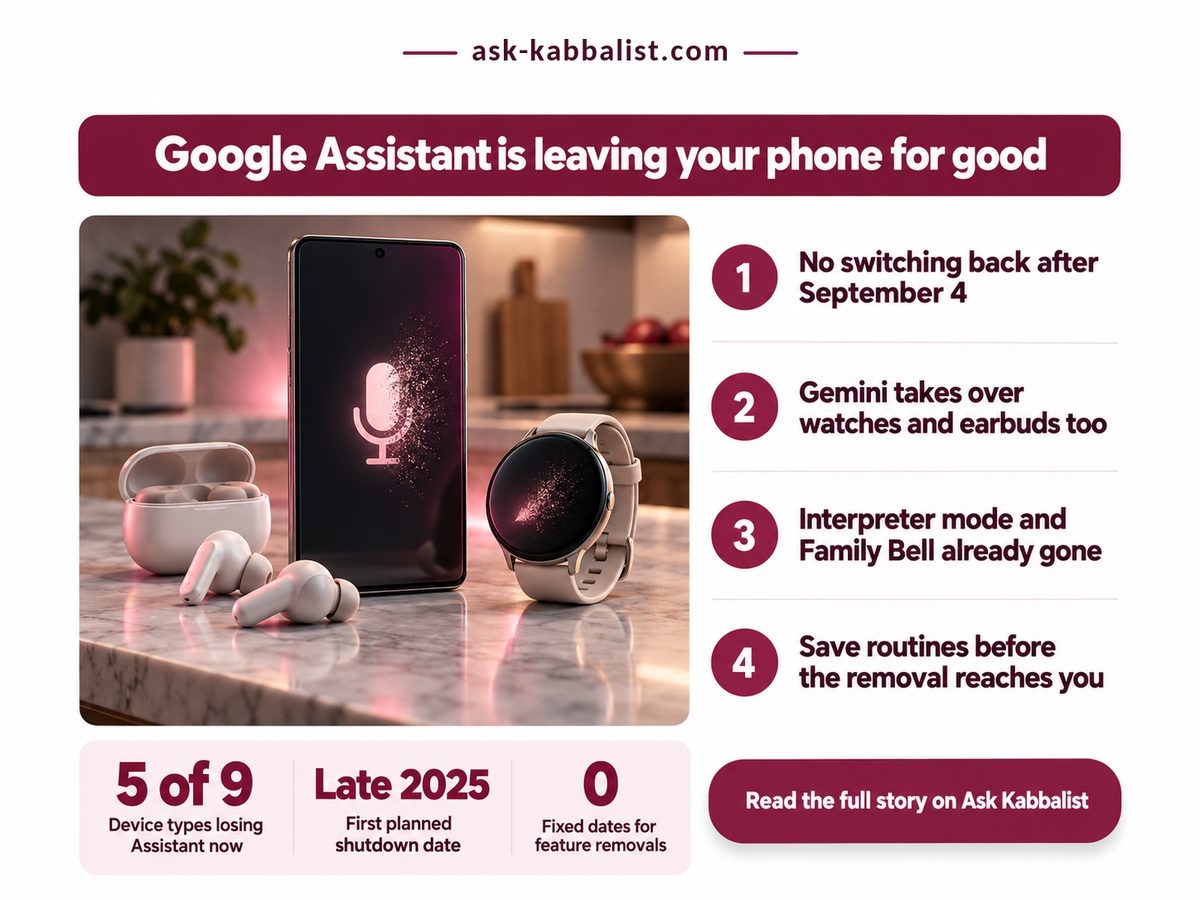
Key Takeaways: if anything you carry still runs Assistant, Gemini replaces it soon with no way back, so audit your daily voice commands this week.
- Removal began on 4 September 2026, and once it lands on a device Google offers no switch back.
- Home speakers, Google TV, smart displays and cars with Google built in keep Assistant for now.
- Interpreter mode and Family Bell are already gone, so rebuild what you used another way.
- Google has not confirmed that Routines carry over, so record yours before the change arrives.
Can I switch back to Google Assistant from Gemini?
No, once Google removes Assistant from your phone, tablet, watch or earbuds, you cannot use it or switch back, according to Google's email to users as reported by 9to5Google on 4 August 2026. That rules out the tempting plan of riding Assistant until Gemini improves. Once removal reaches a device, the fallback leaves with it.
Apple chose the opposite route, shipping iOS 27 Siri as an opt-in beta with daily caps, so iPhone owners choose when to try it. Google chose for you, which we think is a poor fit for a tool people have built household habits around.
Gemini is also a chatbot doing an assistant's job, judged on different terms, down to the usage limits that decide what a chatbot plan really buys. Setting a timer is the least glamorous thing it does. That is exactly where it stumbled.
Google originally planned the cutover for late 2025 and delayed it because Gemini at first could not handle basic device commands such as timers, AI Weekly reported on 5 August 2026. Google's Assistant Help page, checked on 13 October 2026, says the features on its removal list "won't be available after a certain date" without naming that date. The four numbers below, two sourced and two our own arithmetic, decide when you act.
Time to reach every device
A few weeks
Test Gemini while you still can
Delay against first target
About 8 months
Check timers before anything clever
Fixed dates for feature removals
0
You learn mid-command
Assistants in a mixed home
2
Same command, two answers
The rollout window comes from Google's email, per 9to5Google. The missing removal dates matter most: without one, you learn a feature has gone when you ask for it, so audit before the loss.
Google never dated these losses. Your first warning is a command that quietly stops working.
So the useful question is not whether you switch. It is which of your devices switch, and what breaks when they do.
What the Google Assistant shutdown changes, device by device
Anything you carry, from phones and tablets to watches, earbuds and phone-projected Android Auto, moves to Gemini, while speakers, TVs, smart displays and cars with Google built in keep Assistant with no switch date yet.
| Category | Detail | What it means |
|---|---|---|
| 🔒 Phone switch | Began 4 Sep 2026, one way | ❌ Gemini arrives whether you are ready |
| ⏱ Rollout age | Day 39 on 13 Oct 2026 | ⚠️ A phone not yet switched is overdue |
| 🔋 Built-in cars | Kept past 4 Sep 2026 | ✅ Nothing to change in the car yet |
| 🌍 Home devices | Speakers, screens: no date | ⚠️ Speakers carry on as before, for now |
| 🛠 Routines | Carry-over not confirmed | ⚠️ Record each one before it moves |
| 🏁 Best suited for | Phones still on Assistant | 🏁 Test daily commands before removal |
The rollout-age row is our arithmetic, not Google's: count from 4 September to this article's date and you are well past the window Google's email described. A phone still showing Assistant is not lucky. It is next.
Will my Google Home speaker stop working?
Not yet. Google Home speakers and smart displays sit outside this cutover, and Google says Gemini is coming to them without giving a date, according to the 9to5Google report. Our opinion: until that date exists, do not buy a speaker for something only Gemini promises.
If the device you talk to most is something you carry, the change is yours to handle now; if it sits in the house or is a car with Google built in, it can wait. Derived by sorting the nine device types named in Google's email, as reported by 9to5Google, into five that moved and four that did not.
Do my Assistant routines carry over to Gemini?
Google has not confirmed that Routines move across automatically, and third-party integrations that relied on Assistant intents may need re-checking, so assume nothing carries over until you have tested it yourself. That is AI Weekly's reading; intents are the hooks other apps used to take voice commands.
Some losses came before Gemini did. Google's Assistant Help page lists Interpreter mode, the live two-way conversation translator, as removed, while single word and phrase translation stays; Android Central reported that batch of cuts on 18 March 2025. Travellers who used it with taxi drivers abroad need another app.
Family Bell, the scheduled household reminders, went in the same cull, along with automatic daily updates such as a morning weather report. Google's suggested fix is to rebuild them as custom Routines. Which works, or would, if Routines were guaranteed to survive the move. Household features go first in AI rebuilds; Microsoft made Microsoft 365 Family Copilot owner-only.
- Daily basics first. Test timers and alarms before anything clever, since that is where Gemini first fell short.
- Routines. Screenshot each one, trigger and actions included.
- Travel. Install a translation app before you need it at a counter.
Act this week if any of these is true for you
Assistant still answers on something you carry. Your switch is still coming.
You set a timer or alarm by voice most days. Test it in Gemini first.
A Routine runs at a set time in your home. Write down its steps.
Here is the decision this article settles: act now on anything you carry, and let the speaker in the kitchen and a car with Google built in wait for a date Google has not set. This week, run your everyday voice commands through Gemini and screenshot every Routine, so gaps show up on your schedule, not the morning a timer fails.
No comments:
Post a Comment
Note: Only a member of this blog may post a comment.